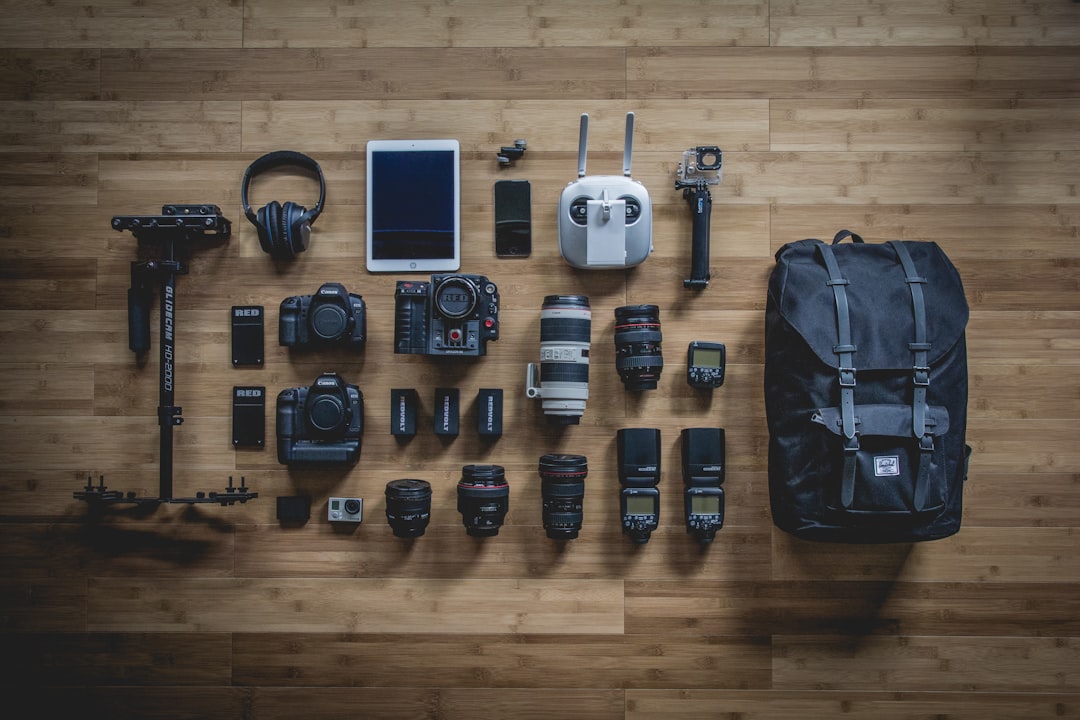
Starting a podcast has never been more accessible, but choosing the right equipment can feel overwhelming. With countless options ranging from budget-friendly to professional-grade gear, it's crucial to understand what you actually need to produce quality content without overspending on unnecessary equipment.
Whether you're launching an interview-style show, creating solo commentary, or producing a multi-host discussion podcast, the equipment requirements remain fundamentally similar. This guide breaks down the essential components of a podcast studio, explaining what each piece does and helping you make informed decisions based on your specific needs and budget.
The Foundation: Microphones
Your microphone is arguably the most critical component of your podcast setup. While you can upgrade other elements later, poor audio quality from an inadequate microphone will immediately turn listeners away. The good news is that you don't need to spend thousands to get professional sound quality.
For podcasting, you'll want to choose between dynamic and condenser microphones. Dynamic microphones are generally more forgiving in untreated spaces, rejecting ambient noise and room reflections better than condensers. They're ideal for home studios where you might not have perfect acoustic treatment. Popular options include the Shure SM7B, which has become a podcasting standard, and the more budget-friendly Audio-Technica ATR2100x.
Condenser microphones offer exceptional clarity and detail, capturing the nuances of your voice beautifully. However, they're also more sensitive to background noise and room acoustics. If you're recording in a quiet, treated space, a large-diaphragm condenser can provide that warm, radio-quality sound. The Rode NT1-A and Audio-Technica AT2020 are excellent entry-level choices in this category.
Audio Interface: Your Digital Gateway
An audio interface converts the analog signal from your microphone into digital data your computer can process. This device is essential if you're using professional XLR microphones rather than USB microphones. Quality audio interfaces provide clean preamps that amplify your microphone signal without adding noise or distortion.
When selecting an audio interface, consider how many microphones you'll need to record simultaneously. Solo podcasters can work with a single-channel interface, while interview or multi-host shows require multiple inputs. The Focusrite Scarlett series offers reliable performance at various price points, with the Scarlett Solo being perfect for single-host setups and the Scarlett 4i4 accommodating multiple microphones.
Key features to look for include phantom power for condenser microphones, direct monitoring capability to hear yourself without latency, and sturdy construction. The preamp quality significantly impacts your final audio, so investing in a reputable interface pays dividends in sound quality.
Headphones for Monitoring
Professional closed-back headphones are essential for monitoring your audio during recording and editing. Closed-back designs prevent sound from leaking back into your microphone, which is crucial when recording. They also isolate you from external noise, helping you focus on your content and catch any audio issues immediately.
Studio monitoring headphones provide flat, accurate sound reproduction without artificial bass boost or treble enhancement. This honest representation helps you make better editing decisions and ensures your podcast sounds good on any playback system. The Audio-Technica ATH-M50x has become an industry standard for podcasting, offering excellent sound quality and comfort for extended sessions.
If you're conducting remote interviews or recording with multiple people in the same room, consider getting enough headphones for everyone. This allows all participants to monitor audio levels and hear each other clearly, preventing the common problem of people talking over each other.
Recording and Editing Software
Your digital audio workstation, or DAW, is where you'll record, edit, and produce your podcast. The good news is that powerful software is available at every price point, including free options that rival paid alternatives in functionality.
Audacity remains the most popular free option, offering robust recording and editing capabilities on Windows, Mac, and Linux. Its interface might seem dated, but it provides everything needed for podcast production including multitrack recording, effects processing, and export in various formats. For Mac users, GarageBand comes pre-installed and offers an intuitive interface with professional features.
As your podcast grows, you might consider upgrading to professional DAWs like Adobe Audition, which provides advanced noise reduction and restoration tools, or Hindenburg Journalist, specifically designed for spoken-word content. These paid options streamline the editing workflow and offer specialized features that can save significant time on post-production.
Acoustic Treatment Basics
While not equipment in the traditional sense, basic acoustic treatment dramatically improves recording quality. You don't need to transform your space into a professional studio, but addressing obvious acoustic issues prevents problems that are difficult or impossible to fix in post-production.
Start by identifying and treating early reflections, the sound waves that bounce off nearby hard surfaces directly back to your microphone. Foam panels or even heavy blankets positioned strategically can absorb these reflections. Focus on the walls immediately beside and behind you, as these create the most problematic reflections.
Recording in a smaller space with soft furnishings often produces better results than a large empty room. Closets full of clothes make surprisingly good recording booths, as the hanging garments absorb sound effectively. If you're setting up a dedicated space, adding bass traps in corners helps control low-frequency buildup that makes recordings sound muddy.
Microphone Accessories
Several accessories enhance your microphone's performance and your recording comfort. A proper boom arm or microphone stand positions your microphone optimally without taking up desk space. Boom arms offer flexibility to adjust positioning between recording sessions and during recordings without handling noise.
A pop filter is essential for reducing plosives, those harsh "p" and "b" sounds that create distortion. Position it about two inches from your microphone to catch these bursts of air before they hit the capsule. Alternatively, foam windscreens slip over the microphone and provide similar protection in a more compact form.
Shock mounts isolate your microphone from vibrations traveling through your desk or microphone stand. When you type, move objects, or even walk across the floor, these vibrations can be picked up by sensitive microphones. A shock mount suspends the microphone in elastic bands, preventing these mechanical noises from reaching your recording.
Additional Considerations
As you set up your podcast studio, think about backup equipment and redundancy. Having a spare set of cables prevents a single failed connection from canceling a recording session. Consider a portable audio recorder as backup for critical interviews, ensuring you capture audio even if computer software or hardware fails.
Cable management might seem trivial but becomes important as your setup grows. Quality cables with proper strain relief last longer and produce cleaner signals. XLR cables are preferred for microphone connections because they're balanced, providing better noise rejection than unbalanced connections over longer distances.
Finally, invest time in learning your equipment thoroughly before launching your podcast. Practice sessions help you establish optimal gain settings, discover your equipment's capabilities, and develop a consistent workflow. Recording test episodes allows you to refine your technique and identify any technical issues before your official launch.
Building Your Studio Over Time
Remember that you don't need everything at once. Many successful podcasters started with minimal equipment and upgraded incrementally as their shows grew. Begin with the essentials, a quality microphone, reliable audio interface, good headphones, and appropriate software, then expand based on your actual needs rather than perceived requirements.
Pay attention to what limitations you encounter in practice. If you find yourself wanting to record multiple people locally, invest in additional microphones and interface inputs. If remote interviews become a regular feature, explore specialized recording solutions for internet-based conversations. Let your podcast's development guide your equipment purchases.
Most importantly, focus on content quality over equipment perfection. While good gear facilitates better audio, compelling content keeps listeners engaged. A technically perfect but boring podcast won't succeed, while an interesting show with decent audio quality can build a loyal audience. Use adequate equipment to present your content professionally, but remember that your ideas, delivery, and consistency matter most.
Conclusion
Setting up your first podcast studio requires careful consideration of essential equipment and how each component contributes to your final audio quality. By understanding the role of microphones, audio interfaces, monitoring headphones, recording software, and acoustic treatment, you can make informed decisions that balance quality with budget constraints. Start with the fundamentals, learn your equipment thoroughly, and expand your setup based on actual production needs. With the right foundation, you'll be well-equipped to produce professional-sounding podcasts that engage and retain your audience.